How to Cancel your SubscriptionUpdated 7 days ago
Need to make changes to your subscription? If you’re looking to cancel, here’s how to do it:
Step 1: Log Into Your Account
Visit https://www.nothingfishy.co/a/account/login and sign in to access your subscription dashboard.
Step 2: Go To Your Active Subscription
Once logged in, you’ll see all of your active and previous subscriptions.
Step 3: Cancel Your Subscription
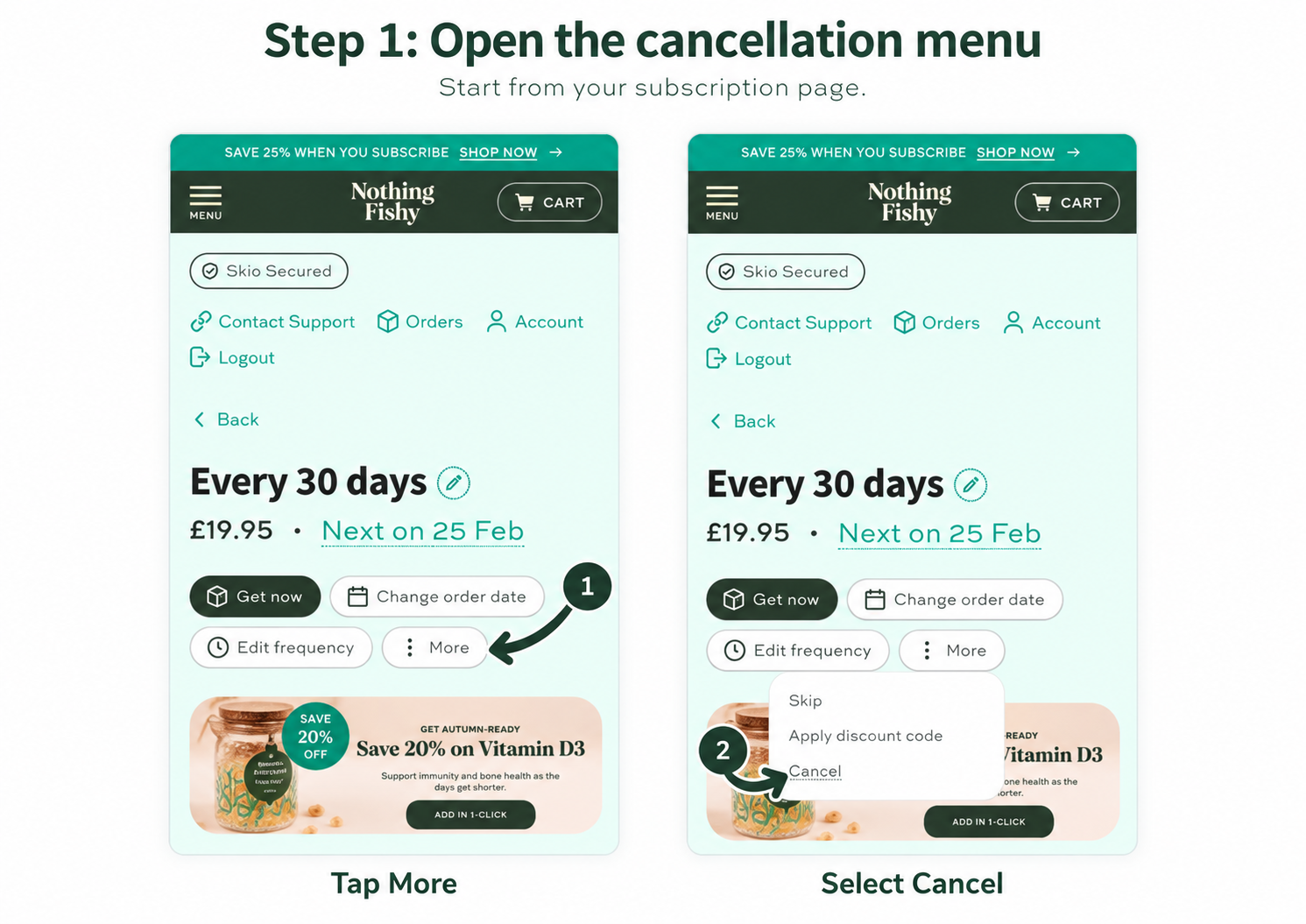
Inside the subscription view:
- Click the three dots (“More”) menu
- Select “Cancel”
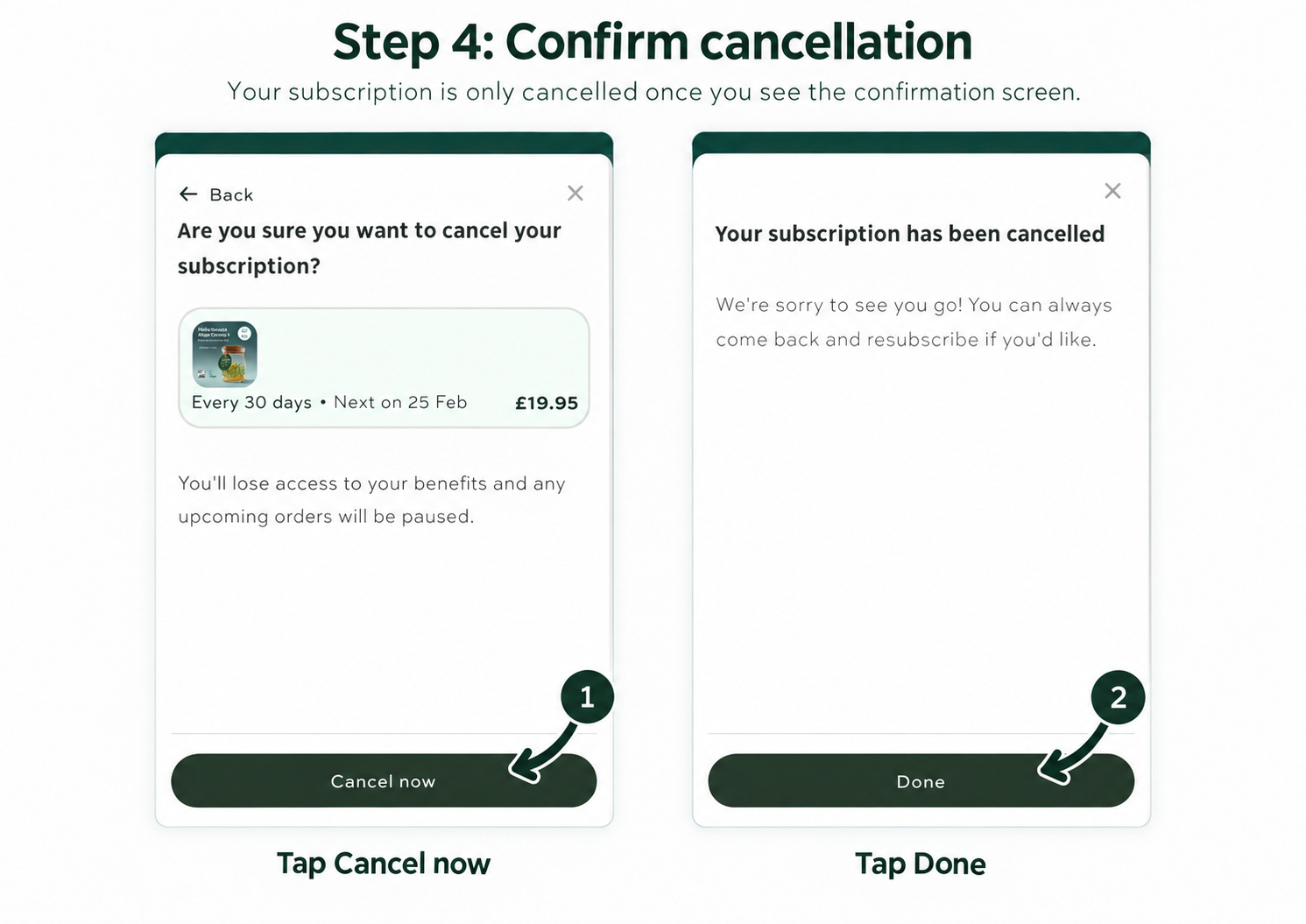
Step 4: Confirmation
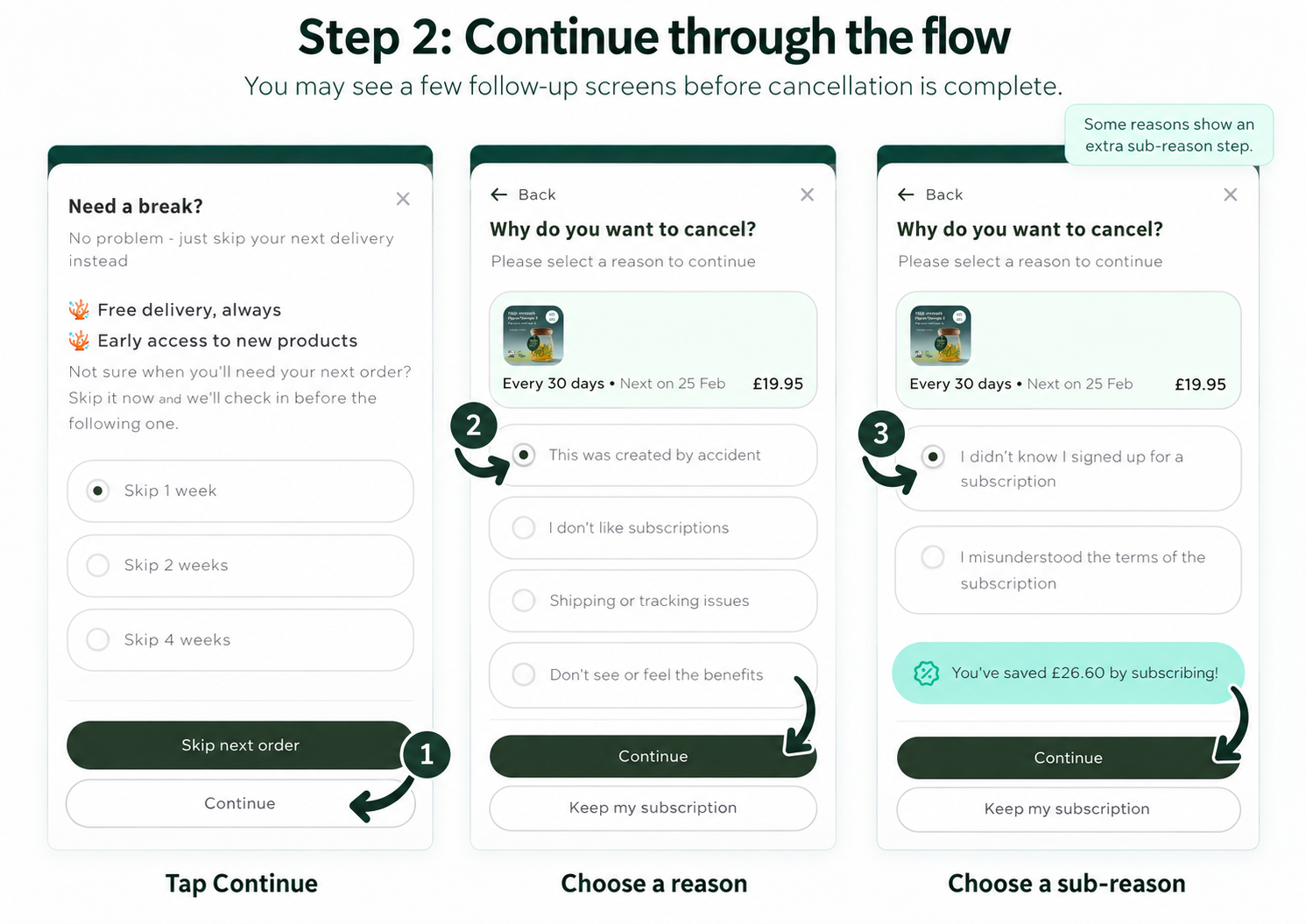
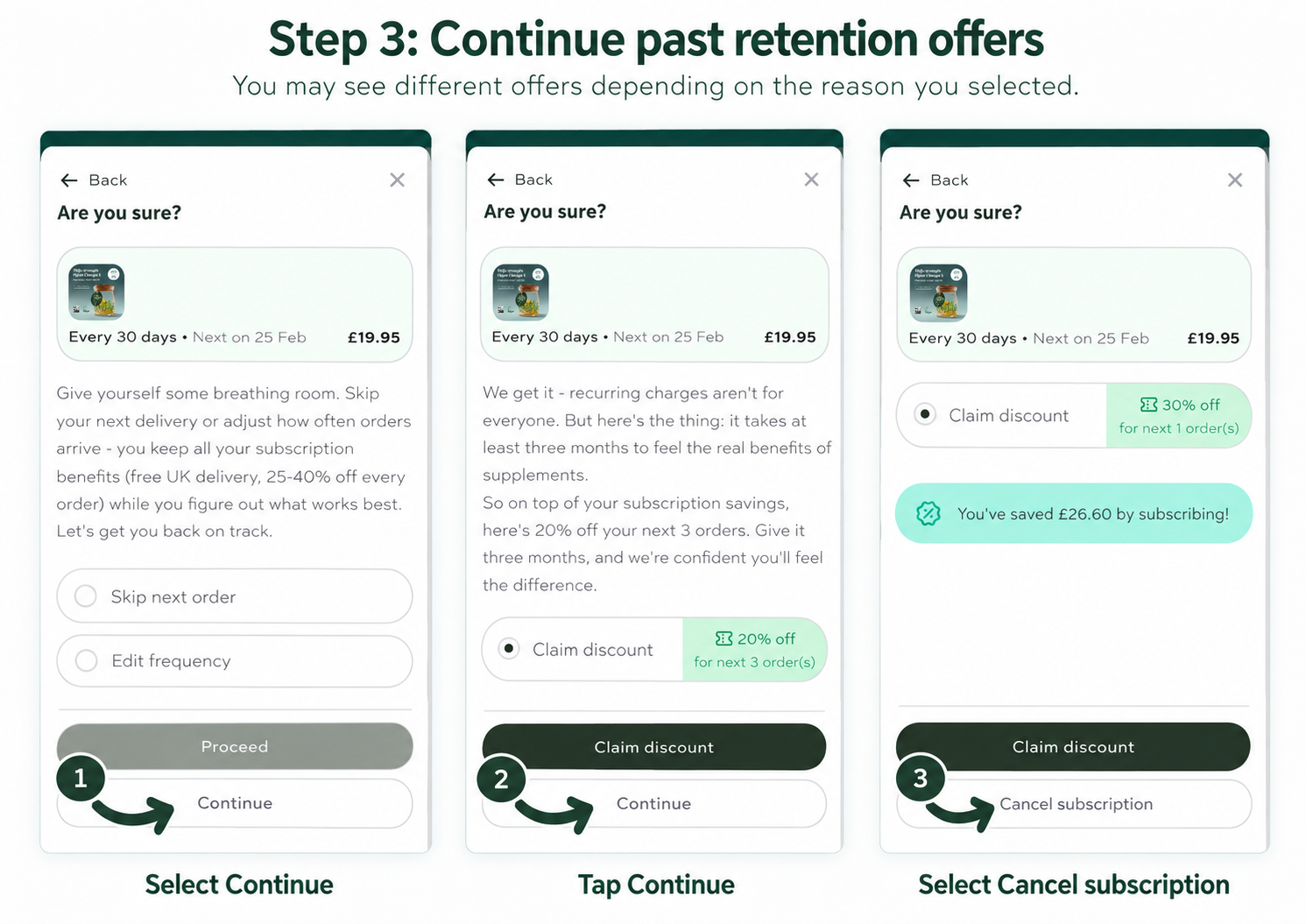
- Follow the prompts to confirm your cancellation
- You’ll receive a confirmation email once it’s completed
Need Help?
Prefer us to handle it for you? Just email us at [email protected] and our friendly customer service team will take care of everything.